 DayPilot
Back to All Tutorials
Next.js Calendar with Day/Week/Month Views (Open-Source)
How to create an integrated day, week, and month calendar view with a shared data source in Next.js.
Oct 23, 2026
React JSX Components in Scheduler Grid Cells
How to render custom React JSX component in the Scheduler grid cells.
Oct 22, 2026
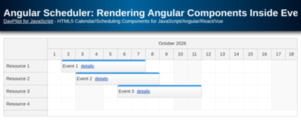
Angular Scheduler: Rendering Angular Components Inside Events
How to add custom components to events displayed in the Angular Scheduler.
Oct 22, 2026
Angular Scheduler: Add Angular Components to Row Headers
Learn how to insert custom components in Angular Scheduler row headers.
Oct 22, 2026
JavaScript Monthly Calendar: How to Disable Selected Days
How to mark selected days as disabled and prevent adding, moving, and resizing events. You can use this technique to disable days in the past, weekends, holidays or other dates.
Oct 22, 2026
React Scheduler with a Vertical Timeline
How to create dynamic calendars and schedulers with a vertical timeline, customizable time cells, and resource display in React.
Oct 21, 2026
ASP.NET Core Timesheet (.NET 10, SQL Server, Entity Framework)
How to create a drag-and-drop timesheet application in ASP.NET Core (.NET 10) with SQL Server and Entity Framework.
Oct 19, 2026
JavaScript Scheduler: Expandable Event Groups
How to group related events into a single event in the JavaScript Scheduler component and add expand [+] and collapse [-] icons that allow changing the event visibility.
Oct 18, 2026
JavaScript Scheduler: A Guide to Touch and Mobile Support
Build a touch-friendly JavaScript Scheduler with DayPilot. Create, move and resize events, open an event menu, and edit dates and resources on phones, tablets and desktop browsers.
Oct 18, 2026
Angular Scheduler: How to Add Components to the Upper-Left Corner
How to add a custom Angular component to the upper-left corner of the Scheduler.
Oct 16, 2026