 DayPilot
Back to All Tutorials
JavaScript Scheduler: Keyboard Navigation
How to enable keyboard navigation in the JavaScript Scheduler component. Use the keyboard to focus cells in the grid, select a time range and edit existing events.
Nov 3, 2026
JavaScript Scheduler: How to Export HTML to Image
How to configure the image export of the JavaScript Scheduler to include rich HTML content.
Nov 1, 2026
Angular Scheduler: Freeze Headers during Export to Excel (XLSX)
How to export the Scheduler view to Angular, including frozen time headers (X axis) and row headers (Y axis). Add a custom row with utilization summary to the frozen headers.
Oct 28, 2026
JavaScript Scheduler: Resource Utilization Chart for Rows
How to dynamically calculate the utilization percentage for each resource and display a chart with utilization details in the Scheduler row headers.
Oct 28, 2026
JavaScript Scheduler: Find Next Free Slot
Add an icon to the JavaScript Scheduler row headers that will let users scroll to the next free slot in the row.
Oct 26, 2026
Next.js Weekly Calendar (Open-Source)
Add an interactive scheduling calendar to your Next.js application using the open-source DayPilot library.
Oct 26, 2026
React Scheduler: External Drag and Drop
How to activate external items so they can be dragged to the React Scheduler component.
Oct 24, 2026
Angular Scheduler: Row Filtering
Angular application with real-time filtering of Scheduler component rows (by name, by number of events).
Oct 24, 2026
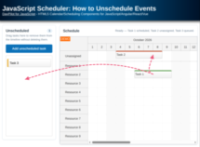
JavaScript Scheduler: How to Unschedule Events
When removing events from the scheduler, it is possible to remove them completely or to move them to a queue of unscheduled tasks or a row with unassigned events (while keeping the scheduled time).
Oct 24, 2026
JavaScript Monthly Calendar: Max Events + Expand Button
How to limit the number of concurrent events displayed by the monthly calendar and add an "expand" button to access the events.
Oct 23, 2026